
Sheepy transaction flows
Transaction types
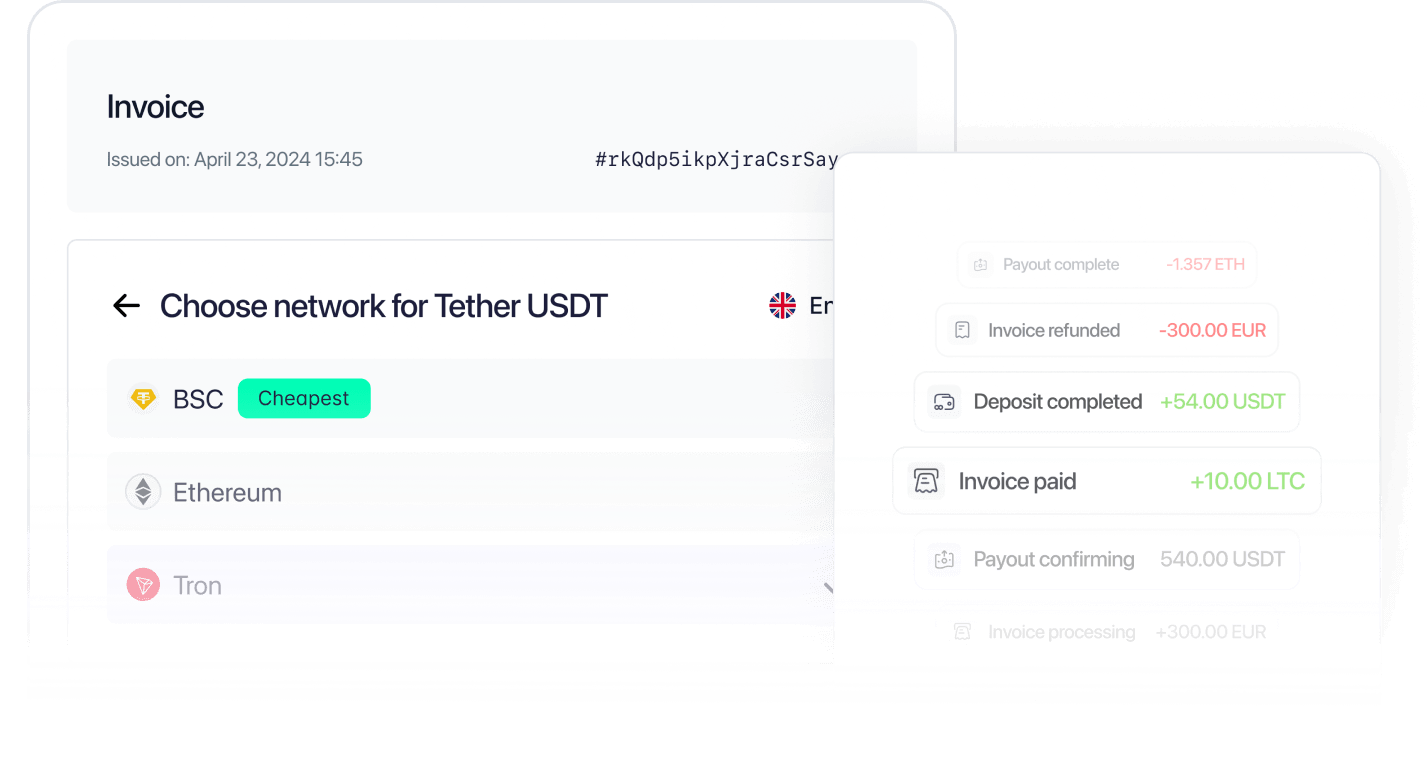
Sheepy lets merchants work with crypto and fiat payments through a set of clear and structured transaction types. Understanding them is key to managing balances, automating payouts, and staying compliant. There are several main transaction types in Sheepy that fundamentally represent all the transactions.
Invoice
An invoice is the core of the payment process. It’s a document with payment details from a merchant to a customer, created via the dashboard or API. The invoice shows the amount (in fiat or crypto), a timer, available payment options, and a unique payment address.
Deposit
A deposit is when a merchant receives funds to a predefined static address - either manually shared or via an integration. Once the transaction is confirmed and passes KYT checks, the amount is credited to the merchant’s balance under the selected gate (asset type). Deposits are often used to top up balances for future payouts or conversions.
Payout
A payout is an outgoing crypto transaction initiated by a merchant. Like all outgoing transactions, payouts require a positive balance in the selected gate and pass through KYT checks. Payouts are processed either manually from the dashboard or automatically via API.
Mass payout
Mass payouts let merchants send crypto to many recipients at once. A list of addresses and amounts (CSV or API) is uploaded, and Sheepy processes each transfer as a separate payout. Mass payouts are useful for affiliate payments, crypto payroll, or community rewards.
Withdrawal
Withdrawals move funds from the merchant’s Sheepy balance to an external fiat account, such as a bank. Crypto assets can be auto-converted to fiat depending on the integration profile. After processing and checks, the withdrawal is marked as done and removed from the merchant’s available balance.
Refund
Refunds return previously received crypto to the original wallet address in the same currency and network. They may be triggered by KYT rejection, overpayment, or initiated manually by the merchant. All refunds are subject to standard blockchain fees and a service fee. Once processed, the refund is recorded in the transaction history and reflected in the merchant’s balance.
Conversion
Conversion means swapping one asset into another crypto-to-crypto or crypto-to-fiat. Conversions can happen automatically, based on the integration profile settings, or be initiated manually through the dashboard. Automatic conversion is applied instantly upon receiving funds, helping merchants align incoming payments with their preferred settlement currency. Manual conversion allows merchants to manage balances as needed. In both cases, the exchange rate is fixed at the moment of the operation. Each conversion includes a fee and is logged as a separate operation, with the converted amount credited immediately to the target gate.

'%3e%3cpath%20d='M5.33337%2017.3333C5.76671%2020.7093%207.84137%2023.708%2010.6667%2025.3333'%20stroke='%231C1D3B'%20stroke-width='2'%20stroke-linecap='round'%20stroke-linejoin='round'/%3e%3cpath%20d='M26.6667%2014.6667C26.3406%2012.3203%2025.2521%2010.1462%2023.5688%208.47934C21.8856%206.81246%2019.701%205.74524%2017.3516%205.44209C15.0021%205.13893%2012.6182%205.61666%2010.5669%206.80168C8.51571%207.98669%206.911%209.81326%206%2012'%20stroke='%231C1D3B'%20stroke-width='2'%20stroke-linecap='round'%20stroke-linejoin='round'/%3e%3cpath%20d='M5.33337%206.66666V12H10.6667'%20stroke='%231C1D3B'%20stroke-width='2'%20stroke-linecap='round'%20stroke-linejoin='round'/%3e%3cpath%20d='M16%2020H18.6667C19.0203%2020%2019.3594%2020.1405%2019.6095%2020.3905C19.8595%2020.6406%2020%2020.9797%2020%2021.3333V22.6667C20%2023.0203%2019.8595%2023.3594%2019.6095%2023.6095C19.3594%2023.8595%2019.0203%2024%2018.6667%2024H17.3333C16.9797%2024%2016.6406%2024.1405%2016.3905%2024.3905C16.1405%2024.6406%2016%2024.9797%2016%2025.3333V26.6667C16%2027.0203%2016.1405%2027.3594%2016.3905%2027.6095C16.6406%2027.8595%2016.9797%2028%2017.3333%2028H20'%20stroke='%231C1D3B'%20stroke-width='2'%20stroke-linecap='round'%20stroke-linejoin='round'/%3e%3cpath%20d='M24%2020V22.6667C24%2023.0203%2024.1405%2023.3594%2024.3905%2023.6095C24.6406%2023.8595%2024.9797%2024%2025.3333%2024H26.6667'%20stroke='%231C1D3B'%20stroke-width='2'%20stroke-linecap='round'%20stroke-linejoin='round'/%3e%3cpath%20d='M28%2020V28'%20stroke='%231C1D3B'%20stroke-width='2'%20stroke-linecap='round'%20stroke-linejoin='round'/%3e%3c/g%3e%3cdefs%3e%3cclipPath%20id='clip0_17690_160'%3e%3crect%20width='32'%20height='32'%20fill='white'/%3e%3c/clipPath%3e%3c/defs%3e%3c/svg%3e)
'%3e%3cpath%20d='M10.6667%208.00001C10.6667%207.29277%2010.9477%206.61449%2011.4478%206.11439C11.9479%205.61429%2012.6262%205.33334%2013.3334%205.33334H24.0001C24.7073%205.33334%2025.3856%205.61429%2025.8857%206.11439C26.3858%206.61449%2026.6667%207.29277%2026.6667%208.00001V18.6667C26.6667%2019.3739%2026.3858%2020.0522%2025.8857%2020.5523C25.3856%2021.0524%2024.7073%2021.3333%2024.0001%2021.3333H13.3334C12.6262%2021.3333%2011.9479%2021.0524%2011.4478%2020.5523C10.9477%2020.0522%2010.6667%2019.3739%2010.6667%2018.6667V8.00001Z'%20stroke='%231C1D3B'%20stroke-width='2'%20stroke-linecap='round'%20stroke-linejoin='round'/%3e%3cpath%20d='M5.33337%2013.3333C5.33337%2012.6261%205.61433%2011.9478%206.11442%2011.4477C6.61452%2010.9476%207.2928%2010.6667%208.00004%2010.6667H18.6667C19.374%2010.6667%2020.0522%2010.9476%2020.5523%2011.4477C21.0524%2011.9478%2021.3334%2012.6261%2021.3334%2013.3333V24C21.3334%2024.7072%2021.0524%2025.3855%2020.5523%2025.8856C20.0522%2026.3857%2019.374%2026.6667%2018.6667%2026.6667H8.00004C7.2928%2026.6667%206.61452%2026.3857%206.11442%2025.8856C5.61433%2025.3855%205.33337%2024.7072%205.33337%2024V13.3333Z'%20stroke='%231C1D3B'%20stroke-width='2'%20stroke-linecap='round'%20stroke-linejoin='round'/%3e%3c/g%3e%3cdefs%3e%3cclipPath%20id='clip0_17690_177'%3e%3crect%20width='32'%20height='32'%20fill='white'/%3e%3c/clipPath%3e%3c/defs%3e%3c/svg%3e)